ChatGPT is recommending your competitors to thousands of potential customers, and most brands have no idea it's happening. Here's how to find out where you stand and fix it.
Someone types "What's the best [your category] tool for my team?" into ChatGPT. The model responds with five recommendations. Your top competitor is number two. You're not on the list.
This is happening right now, thousands of times a day. And you have no visibility into it.
As more buying decisions start inside AI assistants, monitoring ChatGPT mentions of your brand is becoming as important as tracking your Google rankings. The difference is that most brands haven't started yet which makes it one of the clearest opportunities in search right now.
Why ChatGPT visibility is a blind spot for most brands
Traditional analytics tools show you traffic from Google. They don't capture the potential customers who asked ChatGPT for a recommendation, got pointed to your competitor, and never visited your site. That's a silent, growing leak in your pipeline.
ChatGPT doesn't crawl the web in real-time for most queries. It draws on patterns from training data, which means the brands it recommends are the ones with the strongest presence in authoritative content reviews, editorial coverage, comparison pages, forums. If your brand is underrepresented there, you're underrepresented in AI responses too.
Worth knowing: ChatGPT's responses aren't static. The same query can return different results depending on the model version and context. That's why monitoring needs to be ongoing, not a one-time check.
The manual method: test ChatGPT yourself
The fastest starting point is free and takes about 20 minutes. Open ChatGPT and run structured test queries to get a directional picture of where you stand.
- Build a query list
- Write the 5–8 questions your ideal customer might ask: category-level ("best tools for X"), problem-level ("how do I solve Y"), and comparison-level ("X vs Y for Z").
- Run each in a fresh conversation
- Always start a new chat — prior conversation history influences responses. Test on both GPT-4o and GPT-4 if you have access, since results can differ between models.
- Log results in a spreadsheet
- Record which brands were mentioned, your position in the list, how your brand was described, and the date. Run the same set monthly to spot movement.
- Probe with follow-up questions
- Ask: "Why did you recommend [competitor]?" or "What are the downsides of [your brand]?" These follow-ups often reveal more about perception than the top-level response.
Start with these two prompt templates:
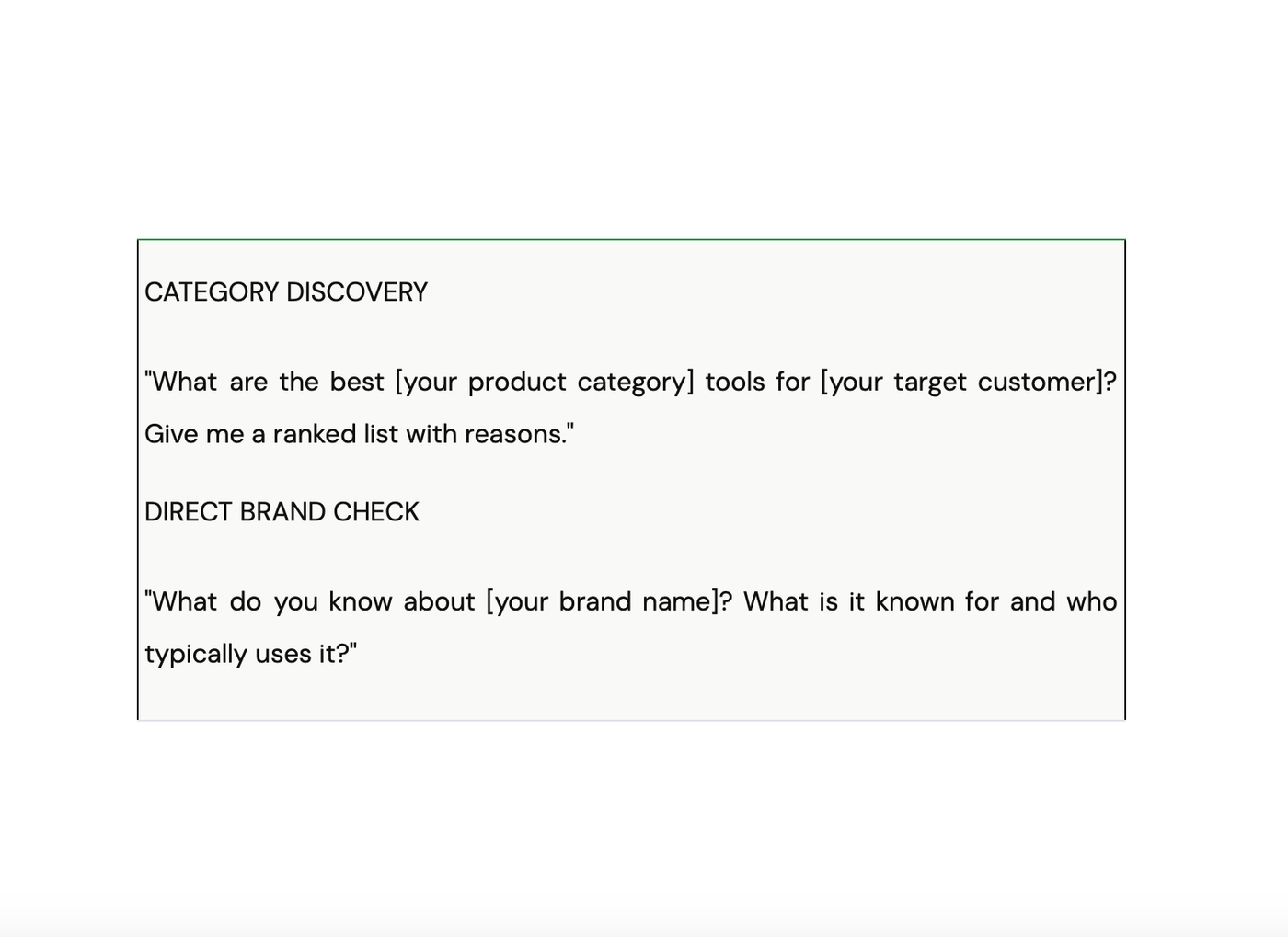
That second prompt is especially revealing. The way ChatGPT describes your brand reflects the narrative baked into its training data. If the description is thin or inaccurate, that's your first fix.
"The brands winning in ChatGPT aren't necessarily the biggest, they're the ones with the most consistent, authoritative presence in the content the model learned from."
Tools that automate ChatGPT brand monitoring
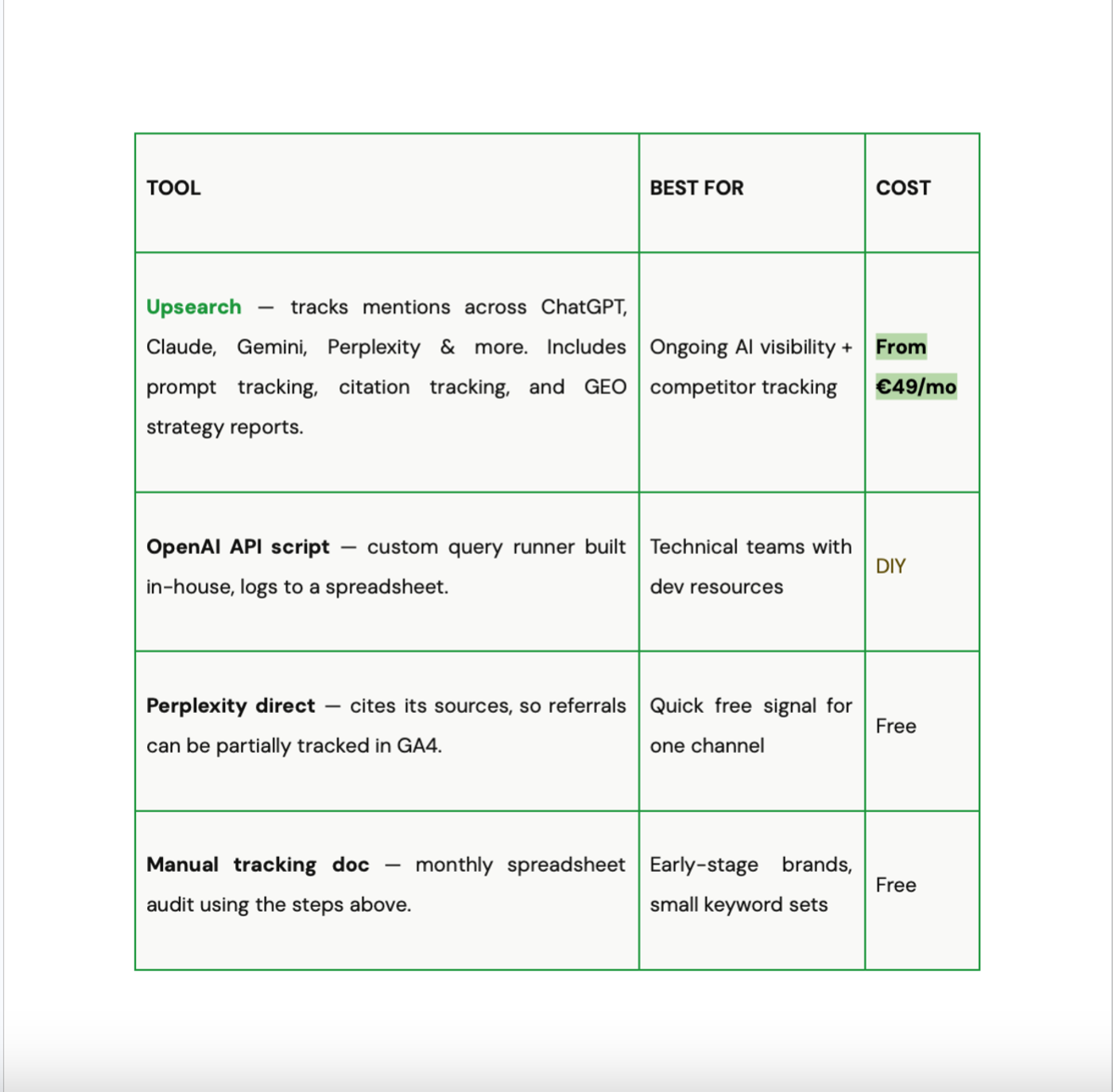
Manual testing is a solid start, but it doesn't scale. If you have multiple keywords, product lines, or competitors to track, you need automation. A new category of platforms, often called AI visibility monitoring or GEO tools, has emerged for exactly this.
What to do when your brand isn't mentioned
If you run the process and find you're absent from ChatGPT's recommendations, here's where to focus first:
Get into structured comparison content
Review sites and "best X tools" roundups carry significant weight in AI training data. Being well-represented on G2, Capterra, and relevant industry publications directly influences how models represent your category. Upsearch 's citation tracking feature shows exactly which domains are cited when users search for your category, so you know precisely where to build your presence.
Sharpen your on-site positioning
If a training scraper lands on your homepage, can it instantly understand what you do and who you serve? Murky messaging leads to murky AI representations. Clear, specific positioning is one of the fastest wins here.
Build third-party editorial mentions
Press coverage, guest articles, expert quotes, anything that cross-references your brand name with your category in authoritative external sources. For a deeper read on how this works, Search Engine Land's GEO coverage and Moz's authority-building guides are both worth your time.
Next step: Once you know where you stand in ChatGPT, the natural move is tracking your full AI search presence — across Perplexity, Gemini, Copilot, and more. Upsearch monitors all of them in one place, with weekly GEO Strategy Reports that give you prioritized, actionable next steps.
Newsletter
Get the next AI search signal in your inbox.
Short, useful updates on AI visibility, citations, prompts, and category positioning.
No spam, unsubscribe anytime. See our privacy policy.
Related reading
Masterclass in AI search
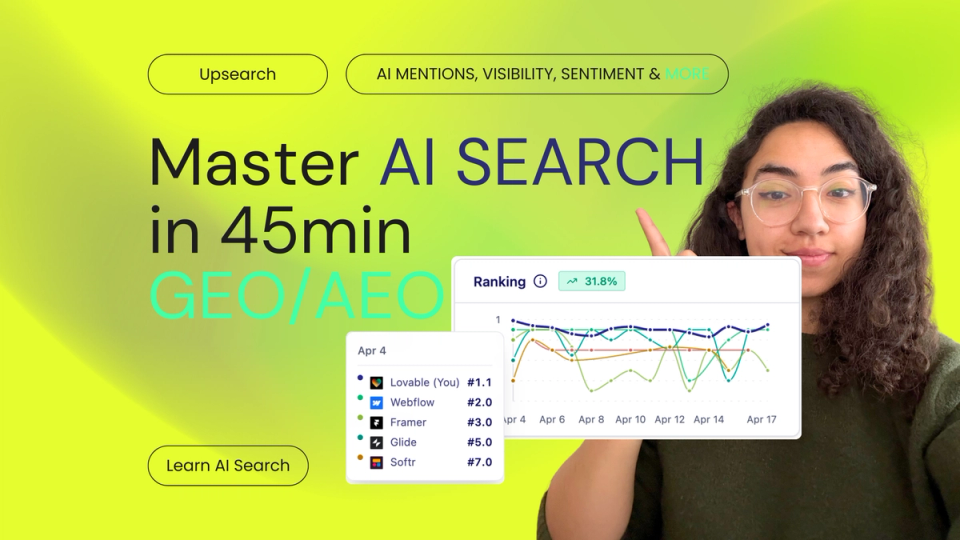
A video-based guide to advanced AI search optimization concepts.
The New SEO You Can't Afford to Ignore
The era of the blue link is giving way to the age of AI synthesis. Discover the architectural foundations of generative engine optimization and learn how to optimize your business for ChatGPT, Claude, and Gemini with Upsearch.
The Metric That Will Define Marketing in 2026
In 2026, blue search links are taking a backseat to generative engine answers. Here is how advanced AI brand visibility tracking helps your business dominate the conversational web without relying on short-lived hacks.
From insight to execution
Track how AI engines actually describe your brand.
Upsearch helps teams monitor prompt visibility, competitive positioning, and citations across the answer engines that now shape real buying journeys.