On this page
How to Monitor Your Brand Mentions in ChatGPT Using AEO Tools
You already track your Google rankings. You probably have alerts set up for when someone mentions your brand online. But there's a channel you're almost certainly flying blind on: what ChatGPT says about you when someone asks it a question your brand should be answering.
This isn't a niche concern anymore. People are using ChatGPT to research products, compare services, and get recommendations and the answers they get don't come with a search results page you can audit. If ChatGPT is recommending your competitor or ignoring you entirely, you won't know unless you're actively monitoring.
That's what AEO (Answer Engine Optimization) tools are for.
What "Brand Mentions" Actually Means in ChatGPT
When we talk about brand mentions in traditional SEO, we mean someone linking to you or writing your name somewhere on the web. In AI search, it's different.
ChatGPT isn't surfacing links. It's generating answers. And within those answers, it either names your brand or it doesn't. It either describes you accurately or it gets things wrong. It either recommends you in context or routes the user somewhere else.
There are a few distinct things worth tracking:
Mention Rate: how often your brand name appears in responses to queries relevant to your category. If you sell project management software and ChatGPT almost never names you when someone asks "what's a good project management tool for agencies," that's a visibility problem.
Sentiment: when ChatGPT does mention you, what does it say? Is the framing positive, neutral, or subtly negative? Does it describe your strengths accurately? These patterns matter because they shape how potential customers first encounter your brand.
Citation Sources: what content is ChatGPT drawing from when it generates answers about your category? This tells you whether your own content is influencing the model, or whether a competitor's blog post is the de facto reference point.
Competitive Positioning: who else is getting mentioned alongside you, and how do those comparisons land? Understanding your position relative to competitors in AI-generated responses is the new share-of-voice.
Why You Can't Do This Manually
The obvious approach is to just... ask ChatGPT. Type in a few queries and see what comes up.
The problem is that ChatGPT responses aren't consistent. Ask the same question twice and you'll get two different answers. Ask it across different accounts, different times of day, different phrasing, and the variance grows. One-off spot checks give you a snapshot that tells you almost nothing about your actual visibility.
Meaningful monitoring means running queries at scale, across multiple prompt variations, across multiple models, over time. You need to track changes , whether your mention rate is going up after a PR push, whether a new competitor is gaining ground, whether the sentiment around your brand shifted after a product launch.
That's not something you can do by opening a chat window.
How AEO Monitoring Tools Work
AEO tools like Upsearch run automated queries against AI models , ChatGPT, Perplexity, Gemini, Claude, and others , using a defined set of prompts that represent how your target audience actually searches.
Here's what the process looks like in practice:
1. Define your query set
This starts with identifying the questions your ideal customers are likely to ask AI systems. These aren't keywords in the traditional sense. They're full questions: "What's the best CRM for a small sales team?" or "Which project management tools integrate with Slack?" The more closely these reflect real buyer intent, the more useful your monitoring data will be.
2. Run queries across models
Good AEO tools don't just check one model. ChatGPT, Perplexity, and Gemini each have different training data, different update cycles, and different retrieval mechanisms. Your visibility can look very different across platforms. Monitoring all of them gives you a complete picture.
3. Parse and score the responses
The tool analyzes each response for brand mentions, extracts the context around those mentions, scores sentiment, and identifies which sources appear to be influencing the answer. Over time, this builds a dataset you can actually trend.
4. Track changes
The real value is longitudinal. A single data point tells you where you are. A month of data tells you whether what you're doing is working.
What Good Monitoring Data Tells You
Once you're tracking systematically, a few patterns tend to emerge quickly:
Gap between search visibility and AI visibility , Brands that rank well on Google often assume they have solid AI visibility. Frequently they don't. The content that ranks on Google doesn't always make it into AI training data or retrieval pools. Spotting this gap is one of the fastest ways to find optimization opportunities.
Sentiment drift , If ChatGPT consistently describes your pricing as "expensive" or your product as "complex for beginners," that framing is influencing buyers before they ever visit your site. Knowing this lets you adjust your content strategy to feed better descriptions into the ecosystem.
Competitor gains , If a competitor suddenly starts appearing in responses where they weren't a month ago, something changed: a product launch, a PR win, a Wikipedia edit, a wave of coverage. Catching this early lets you respond rather than react six months later.
Citation gaps , If the sources ChatGPT relies on for your category are all third-party review sites and competitor blogs, your own content isn't pulling its weight. This is often the most actionable finding: publish better reference content, and the mention rate tends to follow.
Connecting Monitoring to Action
Monitoring without action is just reporting. The point is to close the loop.
When your data shows low mention rate on certain query types, that's a content brief. When sentiment analysis shows consistent mischaracterization, that's a messaging problem to fix at the source , update your website copy, your press releases, your G2 profile, your Wikipedia entry. When citation tracking shows a competitor's blog post is being used as the reference for your category, that's a gap to fill.
The brands that figure out AI visibility early won't just rank better in AI responses. They'll shape what AI says about their entire category.
Getting Started with AEO
If you haven't run any AEO monitoring yet, the starting point is simpler than it sounds. At Upsearch , you can run a free search to see how your brand appears across AI models right now, no setup required. It takes about two minutes and will show you exactly where you stand.
From there, regular monitoring turns a one-time snapshot into something you can act on.
The window to get ahead of this is still open. Most brands are not tracking AI visibility yet. That's an advantage worth using.
Upsearch tracks your brand's visibility, sentiment, and citation sources across ChatGPT, Perplexity, Gemini, and Claude. [Run your free search at upsearch.ai.]
Newsletter
Get the next AI search signal in your inbox.
Short, useful updates on AI visibility, citations, prompts, and category positioning.
No spam, unsubscribe anytime. See our privacy policy.
Related reading
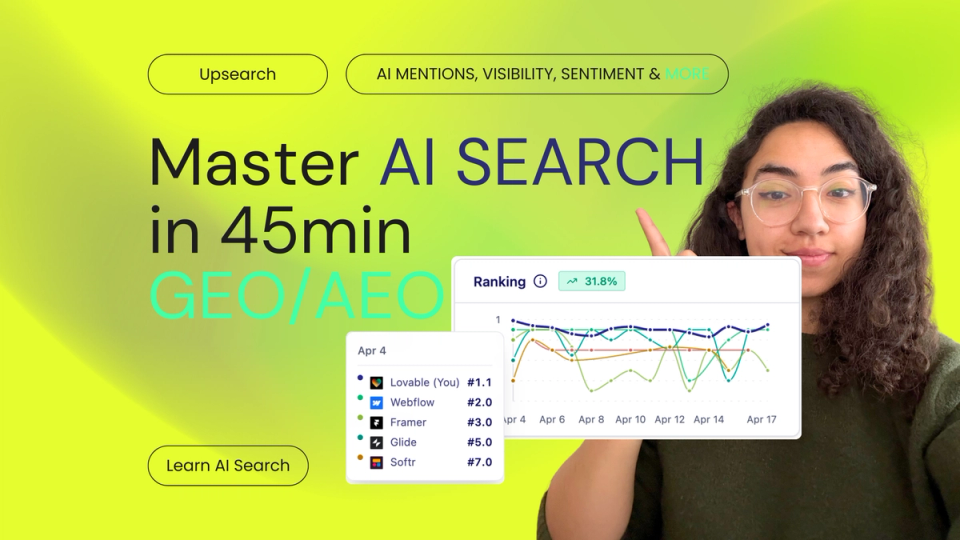
Masterclass in AI search
A video-based guide to advanced AI search optimization concepts.
The New SEO You Can't Afford to Ignore
The era of the blue link is giving way to the age of AI synthesis. Discover the architectural foundations of generative engine optimization and learn how to optimize your business for ChatGPT, Claude, and Gemini with Upsearch.
The Metric That Will Define Marketing in 2026
In 2026, blue search links are taking a backseat to generative engine answers. Here is how advanced AI brand visibility tracking helps your business dominate the conversational web without relying on short-lived hacks.
From insight to execution
Track how AI engines actually describe your brand.
Upsearch helps teams monitor prompt visibility, competitive positioning, and citations across the answer engines that now shape real buying journeys.